Toast Onboarding & Order Dispatch
Last updated: June 16, 2026
Get Started in the Toast Portal
Review Toast's guidelines on how to Set Up Delivery Using Your Own Drivers for the most up-to-date Toast Integration details.
To enable Nash with Toast, add the Nash app or log into Toast Web and navigate to Integrations > Integrations management > Browse & purchase integrations. Enter "Nash" in the Search field and select Add Now.

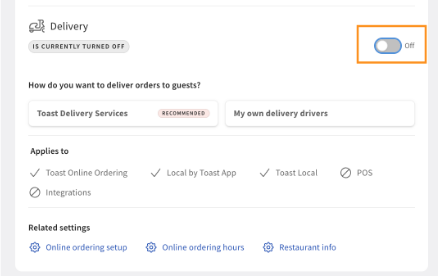
Set up delivery using your “own drivers” by first navigating to the Take Out and Delivery tab within your Toast online ordering portal. Toggle delivery “off”
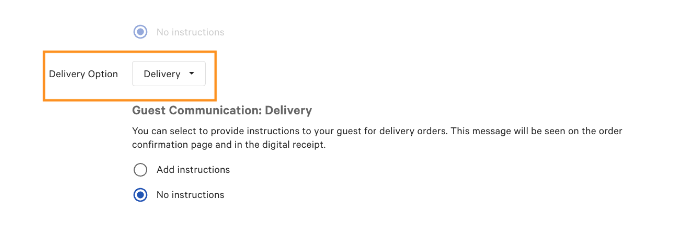
Navigate to your Online Ordering Setup and choose “Delivery” under Delivery Option. Remember to “save” in the top right corner of your screen prior to moving forward.
Return to the Takeout and Delivery tab and toggle Delivery “on.” Choose “Select my own delivery drivers”
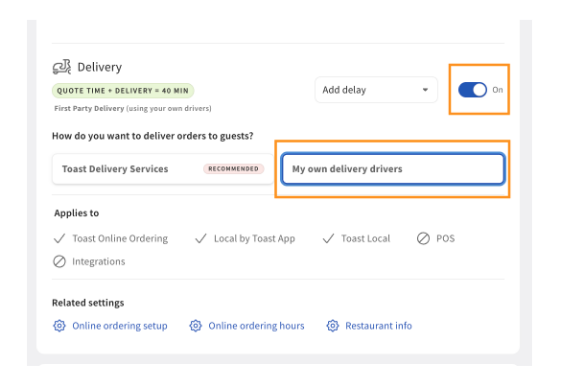
Remember to “Publish All Changes” when complete

Import your Toast locations to Nash by selecting which stores you would like to utilize the integration
Finish up in the Nash Portal
Log into Nash and go to your saved pickup locations.
Select the pickup locations where you would like to use the toast integration
Select Integration details from the side bar
The next step is to select the dining options Nash will be delivering for. The merchant will only select the options they want to dispatch through Nash.
Select Submit
Add Billing Info to go live
Add your payment method into the Nash portal. This will direct you to choose a delivery plan with Nash. Once you choose a plan, you will be directed to enter your information into Stripe to set up Nash.
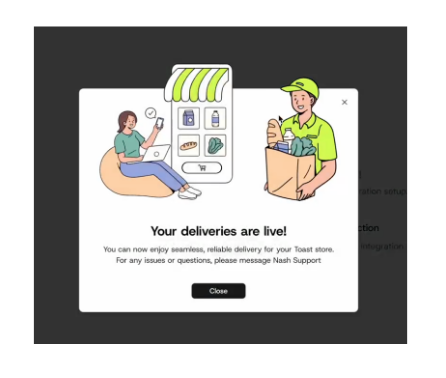
You’re now ready to deliver with Nash!