How to Set Up Pincode Verification for Deliveries
Last updated: December 16, 2024
Pincode verification is an added layer of security to ensure your deliveries reach the correct recipient. This feature requires customers to provide a unique code to confirm delivery completion.
How to Enable Pincode Verification
Navigate to Dispatch Strategies
Go to Settings > Dispatch Strategies in your Nash dashboard.
Enable Pincode Verification
Scroll to the Package Requirements section.
Check the box for Pincode Verification to activate this feature.
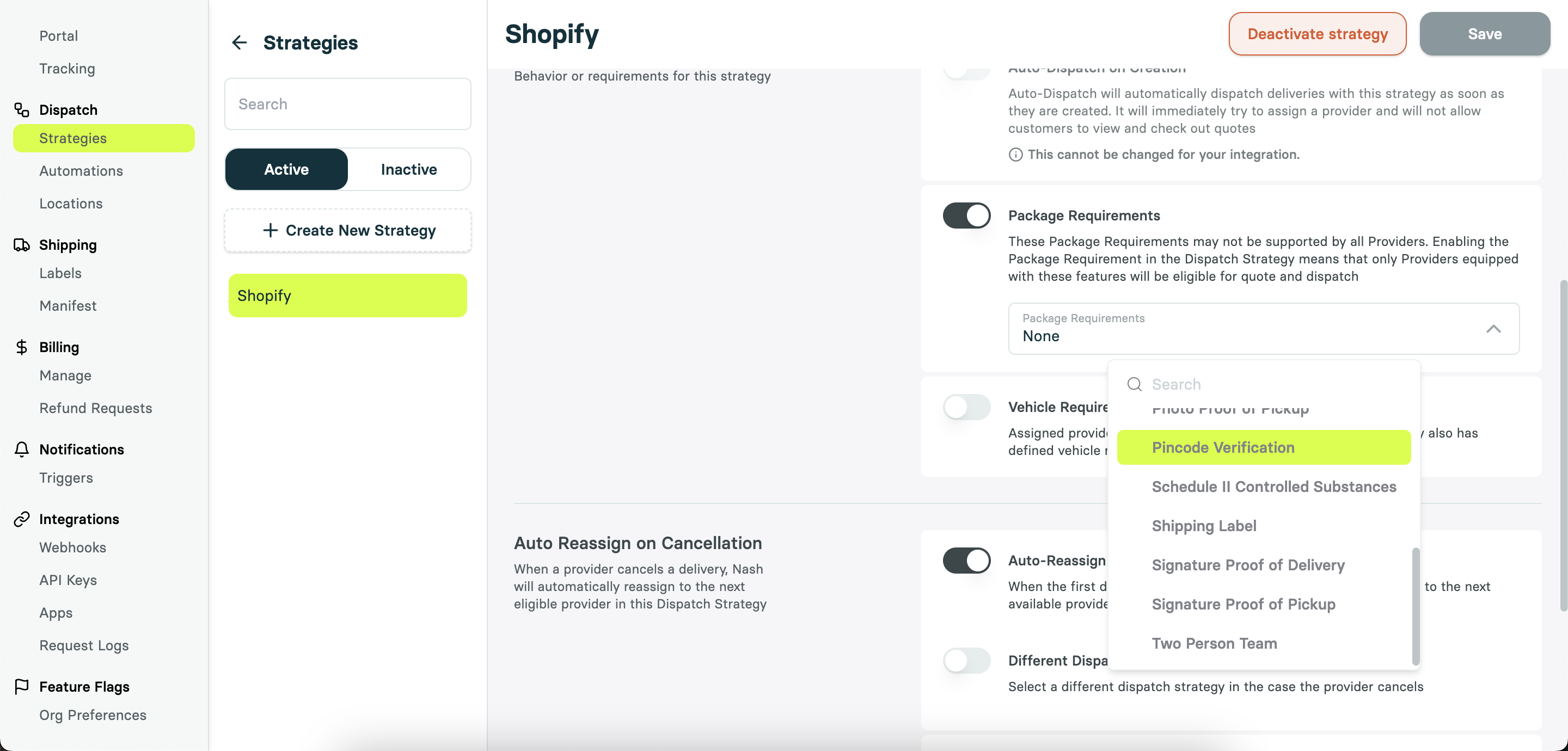
Pincode verification is also available via the API for individual deliveries. For more information consult our API documentation here: https://docs.usenash.com/api-reference/job/package-requirements
How Pincode Verification Works
Pincode Assignment
The pincode is the last four digits of the customer’s phone number (dropoff phone).
Driver Process
Drivers do not know the pincode in advance for security.
At dropoff, the driver contacts the customer to confirm the pincode.
The driver enters the pincode into their app to complete the delivery.
Customer Notification
The customer receiving the delivery is supplied their their pincode through:
Public Tracking Link
The pincode is visible on the customer’s delivery tracking page.
SMS Notification
An SMS can be sent to the customer with the pincode.
Additional Security Options
Combine pincode verification with photo confirmation for enhanced security:
Drivers must take a photo at the dropoff location in addition to verifying the pincode.
Important Notes
For manually created deliveries, ensure the dispatch strategy includes package requirements like pincode verification.
By enabling and correctly using pincode verification, you can reduce delivery errors and enhance customer trust. If you have further questions or need support, reach out anytime!