Creating Carriers
Last updated: August 12, 2026
Carriers you partner with to fulfill routes can access Nash and have visibility into their routes, driver groups, and drivers without seeing other carriers information.
Create Driver Group Operations user
Click your Profile at the bottom of the Menu Bar and select Settings
Go to Members & Organization > Users
Click +Add Team Member
You can add multiple users for a single carrier. Each user will need to have their own account.
Enter the Carrier contact's email address and first and last name
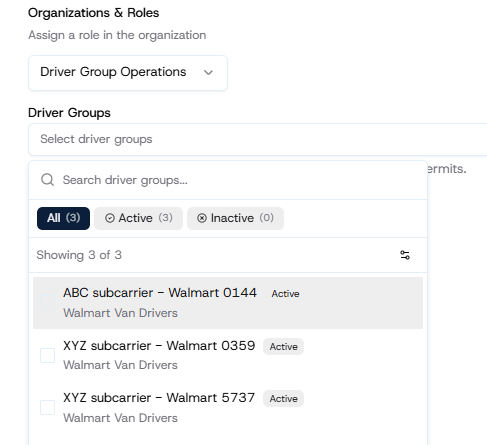
Select Driver Group Operations role
Select all the Driver Groups the user should have access to
Click Add
User will receive an invite email with instructions to access their account.