Duplicating a Delivery
Last updated: December 5, 2024
When editing a delivery isn’t possible, duplicate it and cancel the original to ensure accurate records and efficient management.
Steps to Duplicate a Delivery
Access Delivery History: Open the Delivery Dashboard to view all deliveries.
Locate the Delivery: Find the delivery you want to duplicate.
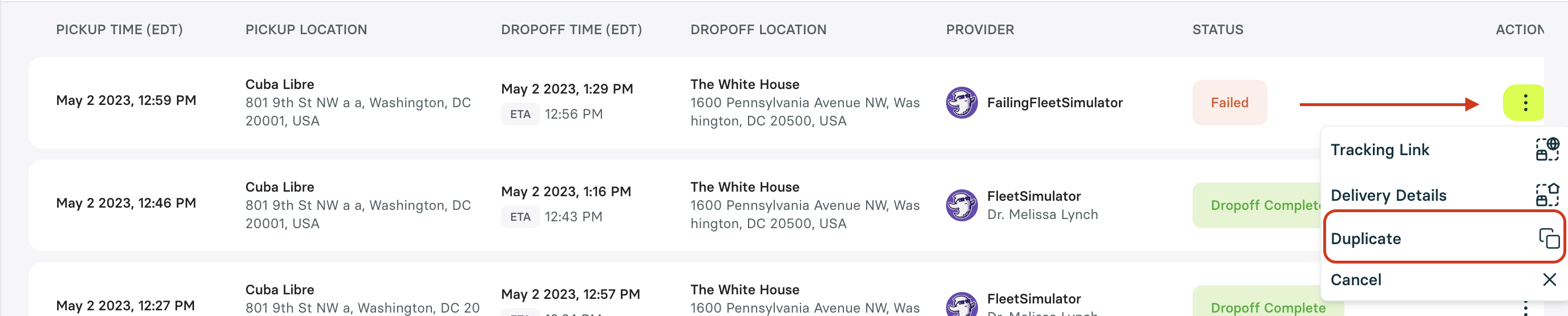
Initiate Duplication: Select the vertical ellipsis (…) next to the delivery.
Choose Duplicate from the dropdown menu.
Alternatively, duplicate from the Delivery Details page:

Update Delivery Details: Edit the necessary fields in the new delivery form.
Review and Save
Cancel the original delivery to avoid duplicates.