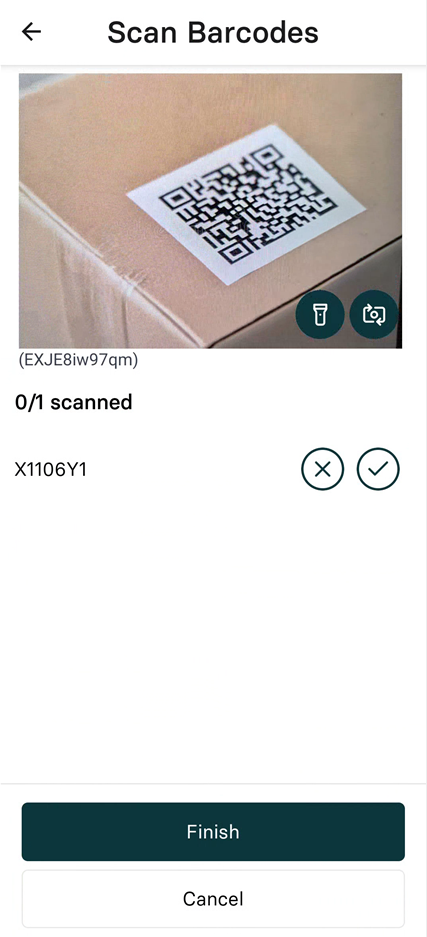
Scan barcodes during pickup/dropoff

Last updated: November 11, 2025

Barcode scanning verifies package handling at pickup and dropoff locations when required by the Provider Organization.

Successfully scan items

  1. Position the barcode within the camera frame

  2. Wait for automatic recognition

  3. Confirm the scanned item appears in your list

Handle scanning issues

Item not available:

  • Select the X next to the barcode number to mark as not picked up

Damaged or unreadable barcode:

  • Select the next to the barcode number if you have the package

image.png