How to Generate an API Key
Last updated: March 13, 2026
You can generate an API key directly from the Nash Portal by following these steps:
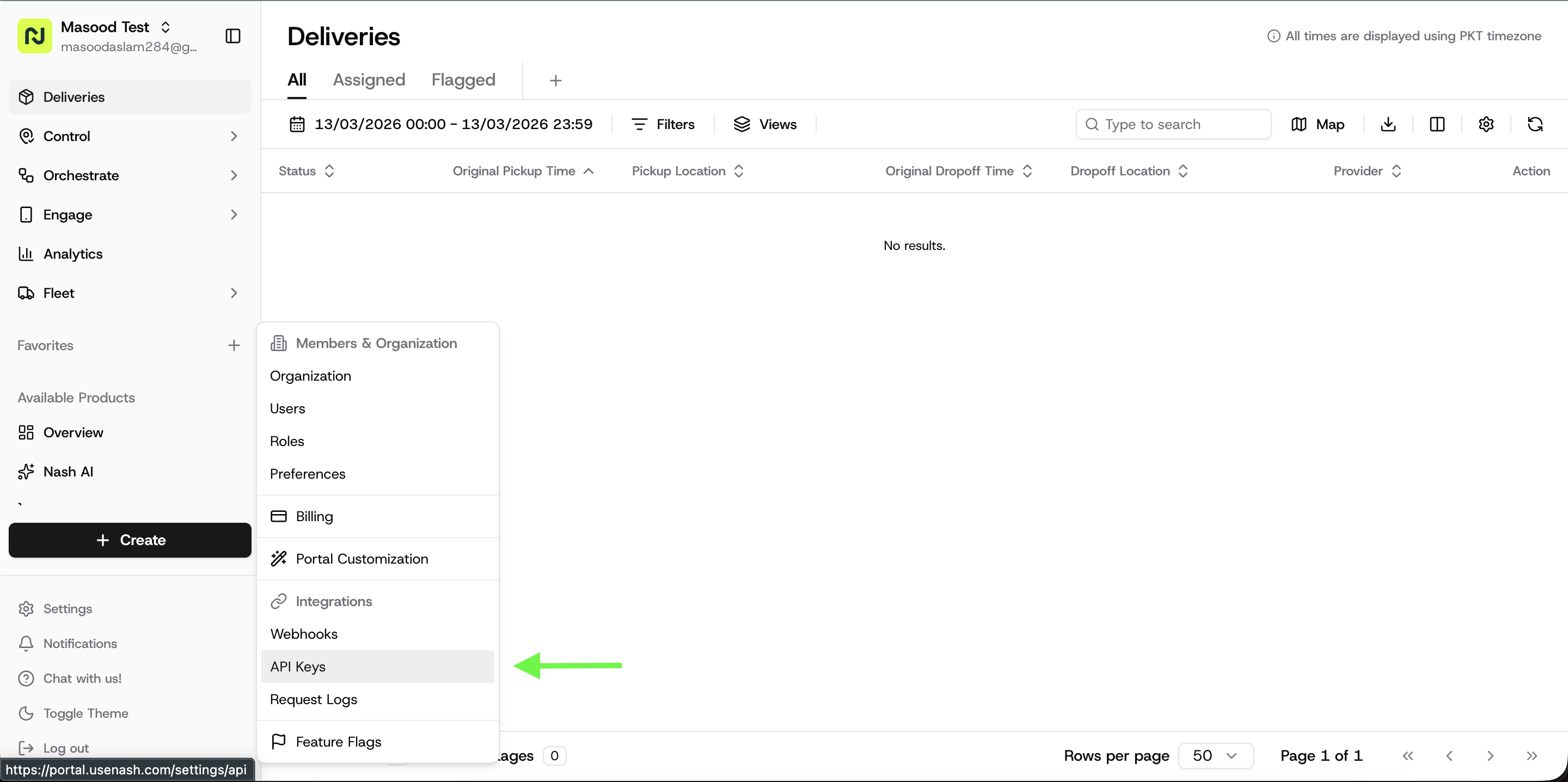
In the Nash Portal, navigate to Settings from the right sidebar.
Select API to open the API Settings page.
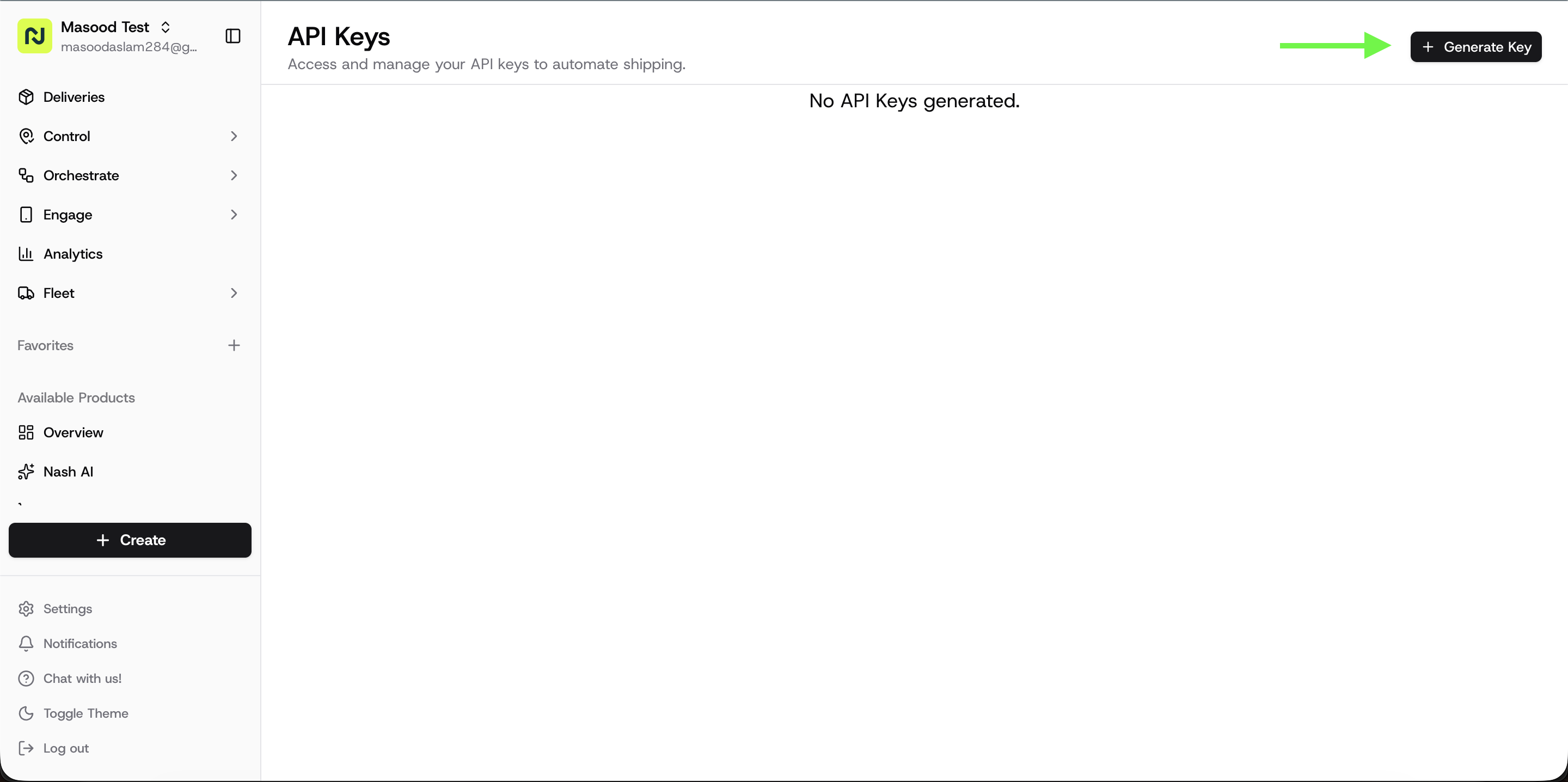
Click Generate Key.
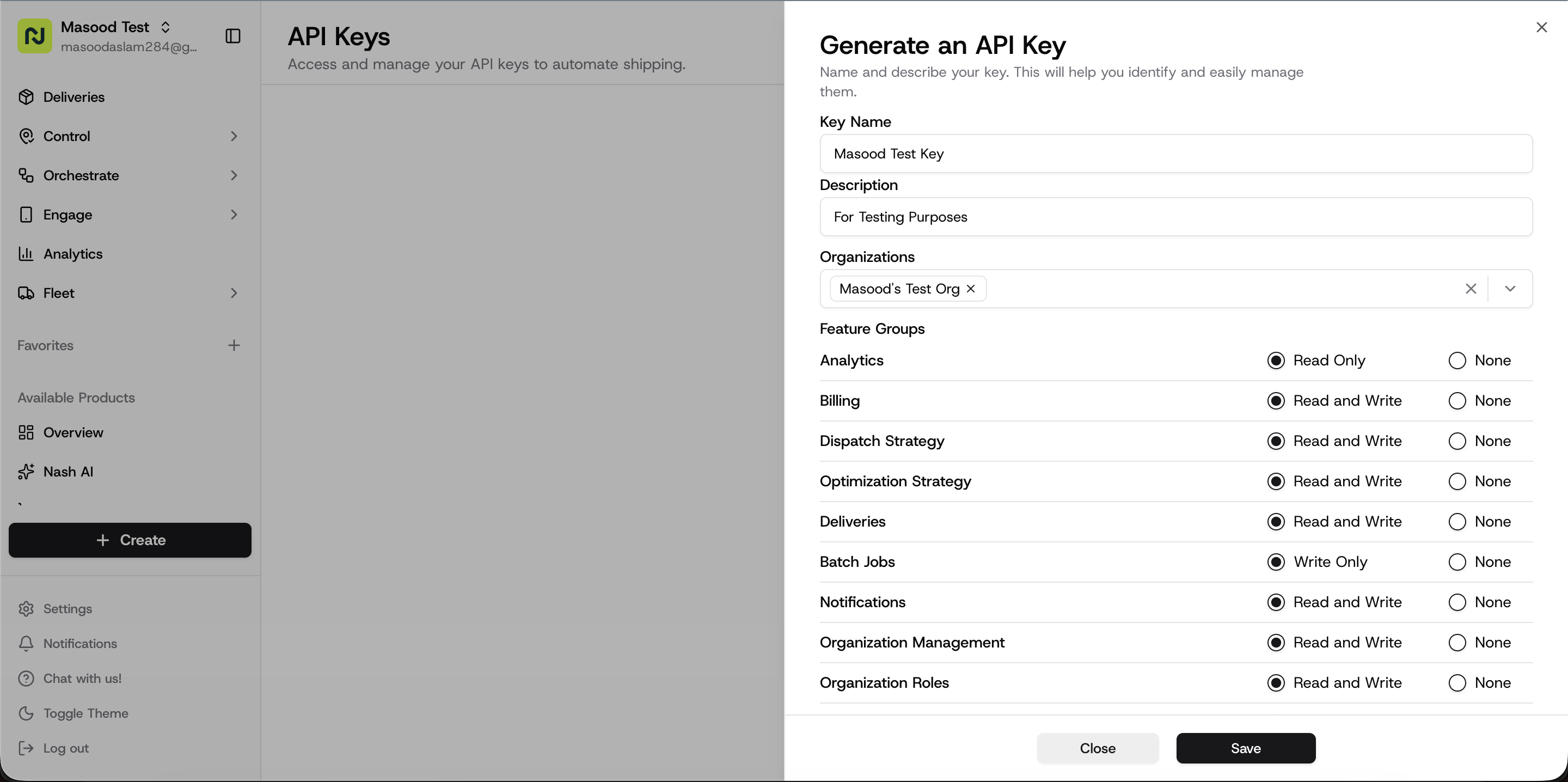
Next, configure your API key:
Key Name (required): A descriptive name to identify your API key.
Description (optional): Additional information about the key’s purpose.
Organization Scope:
If you belong to multiple organizations, select the organizations that the API key should be associated with.
Feature Access:
Select the features that this API key should have access to.
After configuring the key:
Click Save.
Your API key will be generated.
Make sure to copy and securely store your API key immediately. This is the only time the full key will be visible.
Retrieving and Using an Organization ID
After generating your API key, you will also need the Organization ID (Org ID) for the organization you want to access.
The Org ID is used as a header parameter in API requests that interact with an organization’s resources (such as creating orders, jobs, etc.).
Example Header:
"Nash-Org-Id": "org_AbC123"This header ensures that the request is performed within the correct organization.
When the Org ID Header Is Required:
Required: When the API key has access to multiple organizations.
Optional: When the API key has access to only one organization.
How to Find the Org ID
Navigate to Settings > Organization.
Copy the Organization ID.
Once your API key has been created and you have your Org ID, contact Nash Support to ensure your API access is enabled so you can begin integrating with Nash.