How to Configure Nash’s Checkout Widget Experience
Last updated: May 7, 2026
By default, the Nash widget appears on your Cart page, where customers can choose their preferred delivery method and time window.
If you're on a Shopify Plus plan, Nash also supports displaying the widget directly on the Checkout page - for both Delivery and Pickup. This creates a more seamless experience that keeps customers in the flow of checkout without any extra steps.
How to Set It Up
To add the Nash Date Picker and Pickup Widget to your Shopify Checkout, follow these steps:
Go to your Shopify Admin and click Settings.
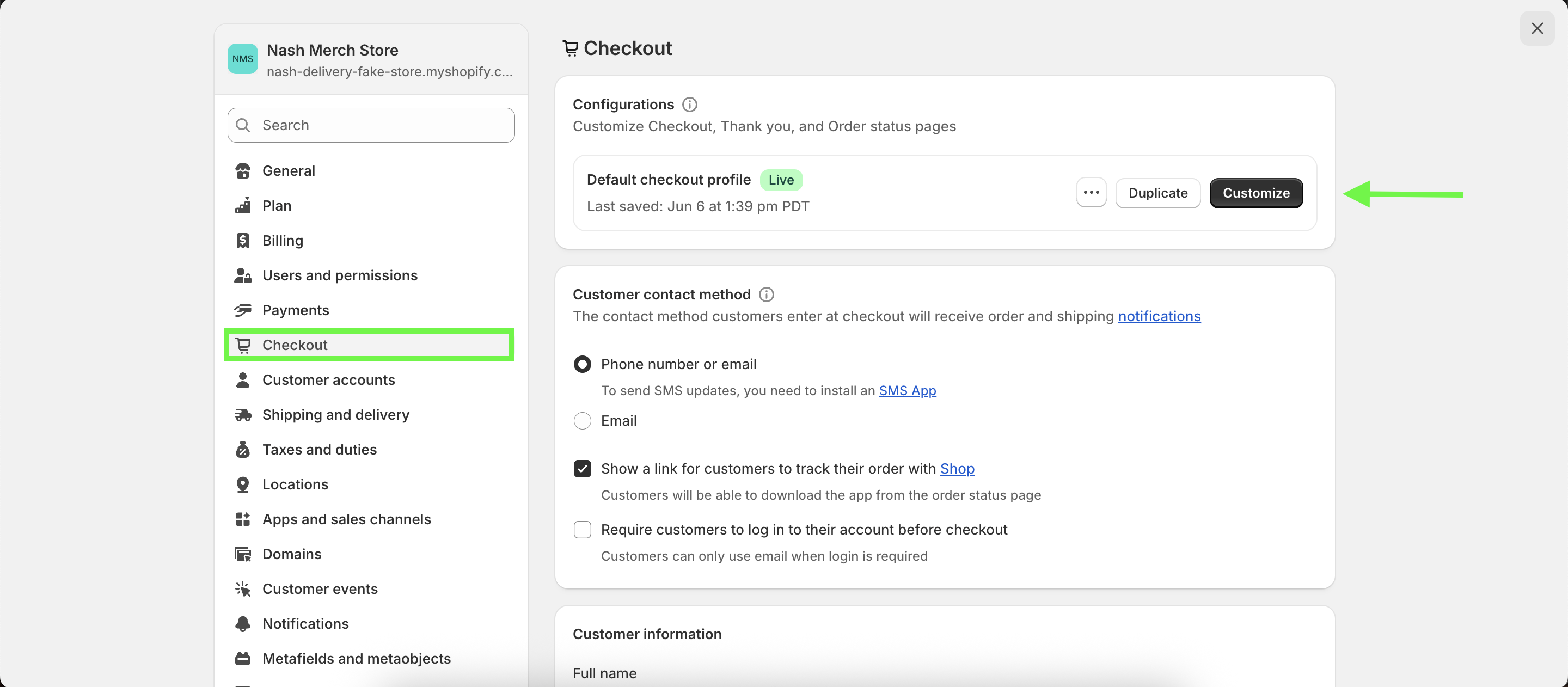
Navigate to Checkout, then click Customize next to your Default checkout profile.
In the left-hand panel, find the Delivery Method section and click Add App Block.
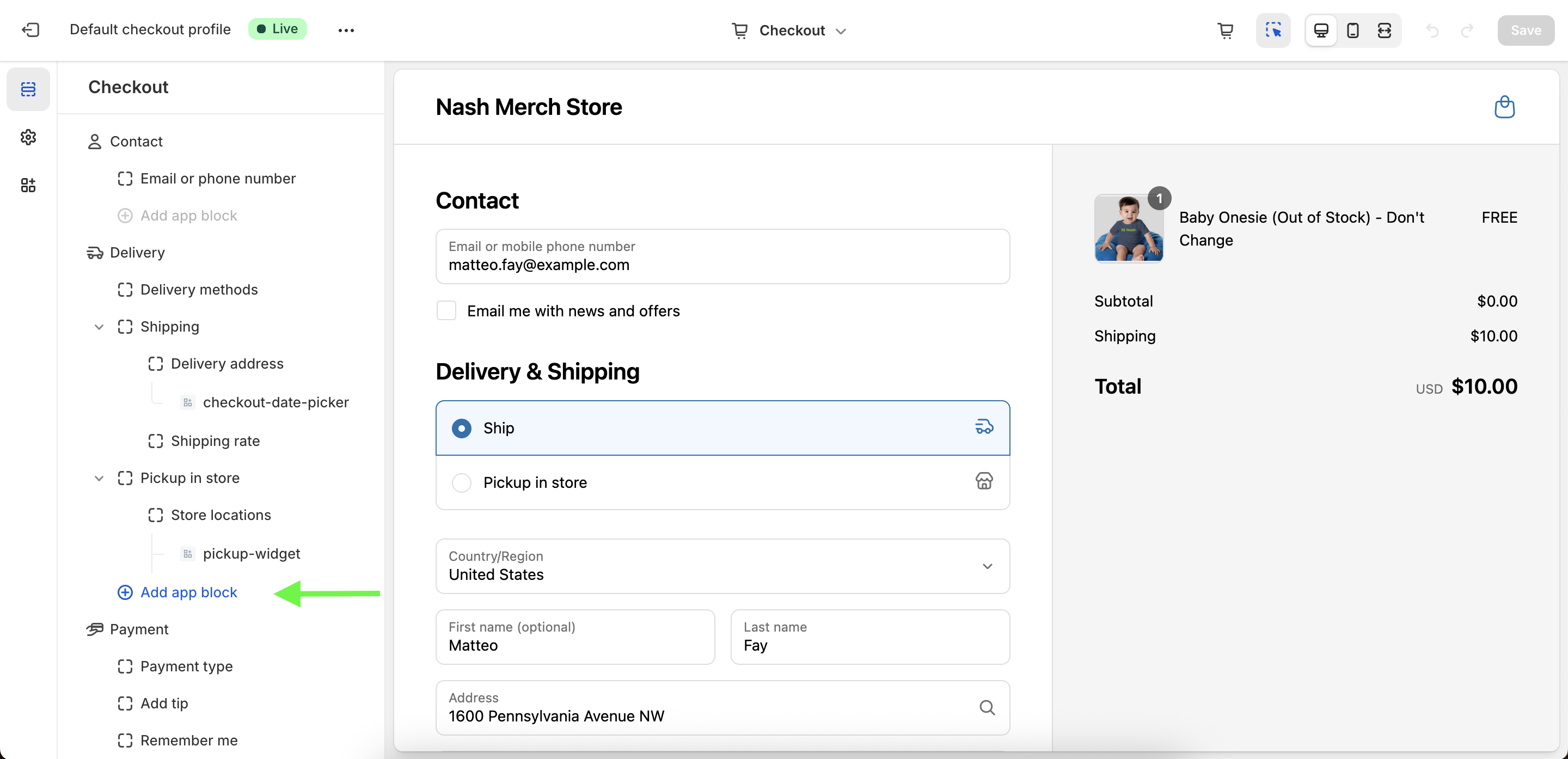
Add both of the following app blocks:
checkout-date-pickerpickup-widget
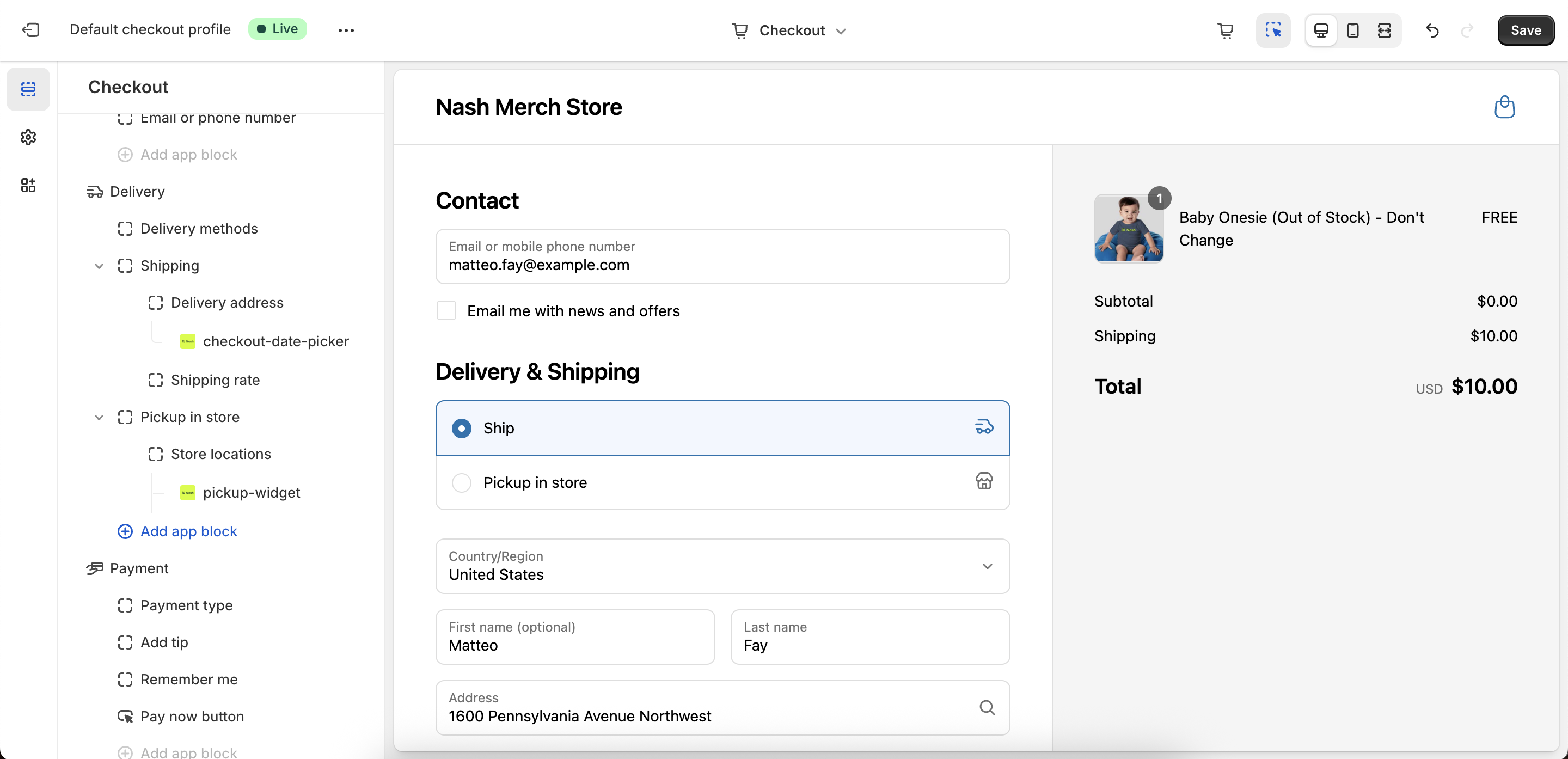
5. Click Save to apply your changes.
Once saved, the Nash Date Picker and Pickup Widget will appear on your Checkout page, giving customers an easy, integrated way to schedule their delivery or select a pickup time.