Monitoring Delivery Status on the Delivery Details Page
Last updated: June 10, 2026
Wondering where your drive is and how long it will take to be picked up or delivered? The Delivery Details page in Nash provides a complete view of your delivery’s status and progress.
Accessing the Delivery Details Page
Select the Deliveries on the left sidebar to open the delivery history page.
Use the date selector in the top-left to filter deliveries by date if needed.
Locate and select the delivery row to open the right-side drawer view.
Scroll to the bottom of the drawer and select See details to access the full page.
Key Sections of the Delivery Details Page
The page is divided into three main sections: Provider Details, Summary, & Map.
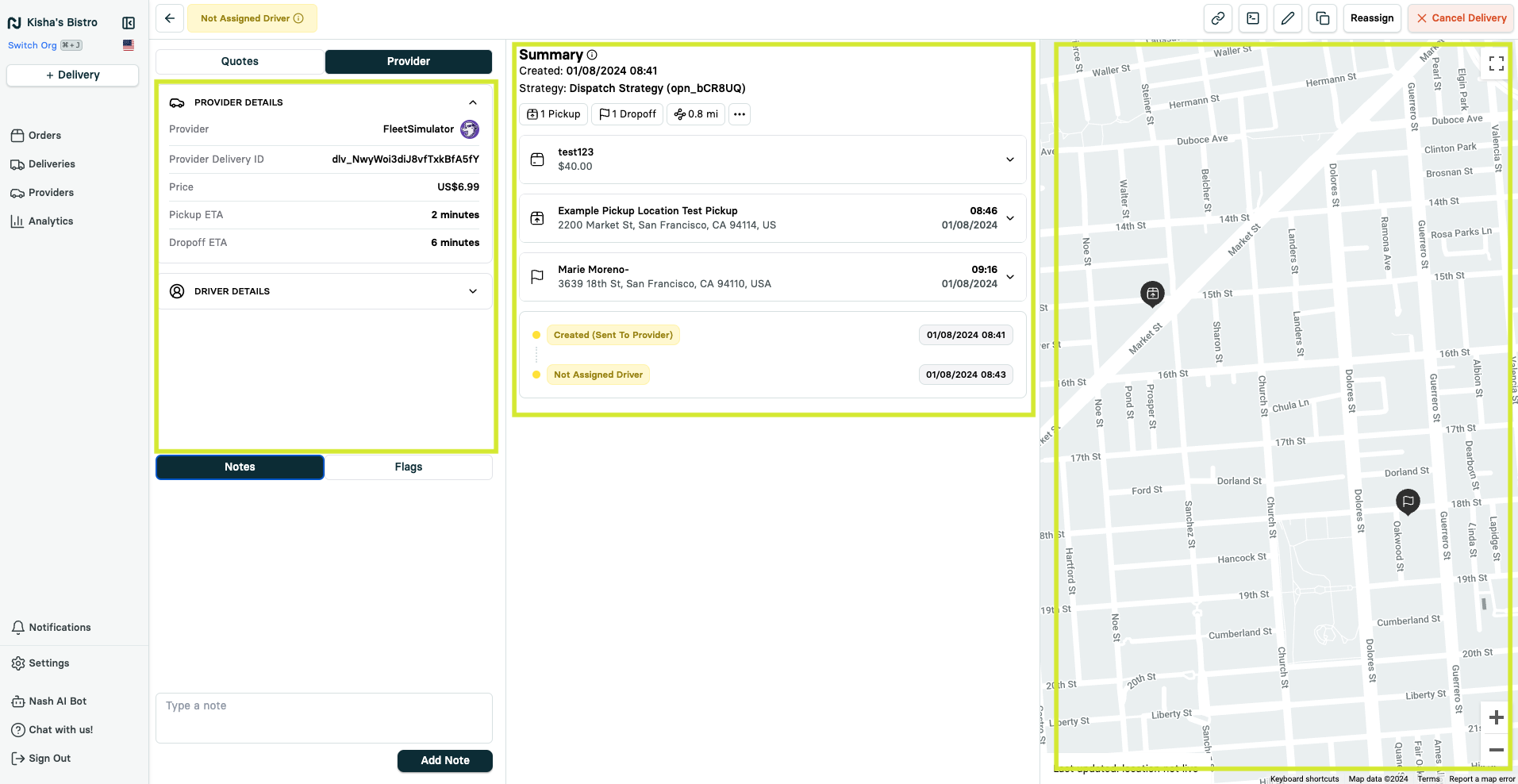
Provider Details
This section displays important information about the delivery provider:
Provider name
Delivery IDs
ETAs (Estimated Time of Arrival)
Delivery cost and tip amount
Driver contact details (when available)
Support contact information
Note: For questions about live deliveries, contact the driver or provider's Support team directly.
Summary & Delivery Timeline
Summary provides key delivery details:
Creation date
Dispatch strategy used (if applicable)
Number of pickup and dropoff locations
Total distance between locations
Includes the Delivery Timeline, which shows real-time updates like:
Pickup Complete
Dropoff Enroute
Dropoff Arrived
Note: Status availability may vary by provider. Simultaneous timestamps may indicate limited status updates from the provider.
Map
Offers a visual overview of the delivery’s journey:
Marked pickup and dropoff locations
Live driver tracking (for active deliveries)
Route visualization (for completed deliveries)
Monitoring Delivery Status
Check the Delivery Timeline in the Summary for recent updates.
Use the Map to track the driver's location and progress with precise real-time position updates.
Refer to Provider Details for ETAs and contact information.
Share the public tracking link to allow others to monitor the delivery.