Contact Delivery Provider Support Team
Last updated: January 30, 2025
When managing deliveries through Nash, you may need to reach out to the delivery provider's support team for assistance with specific delivery issues.
Accessing the Delivery Details Page
To find the provider support team contact information:
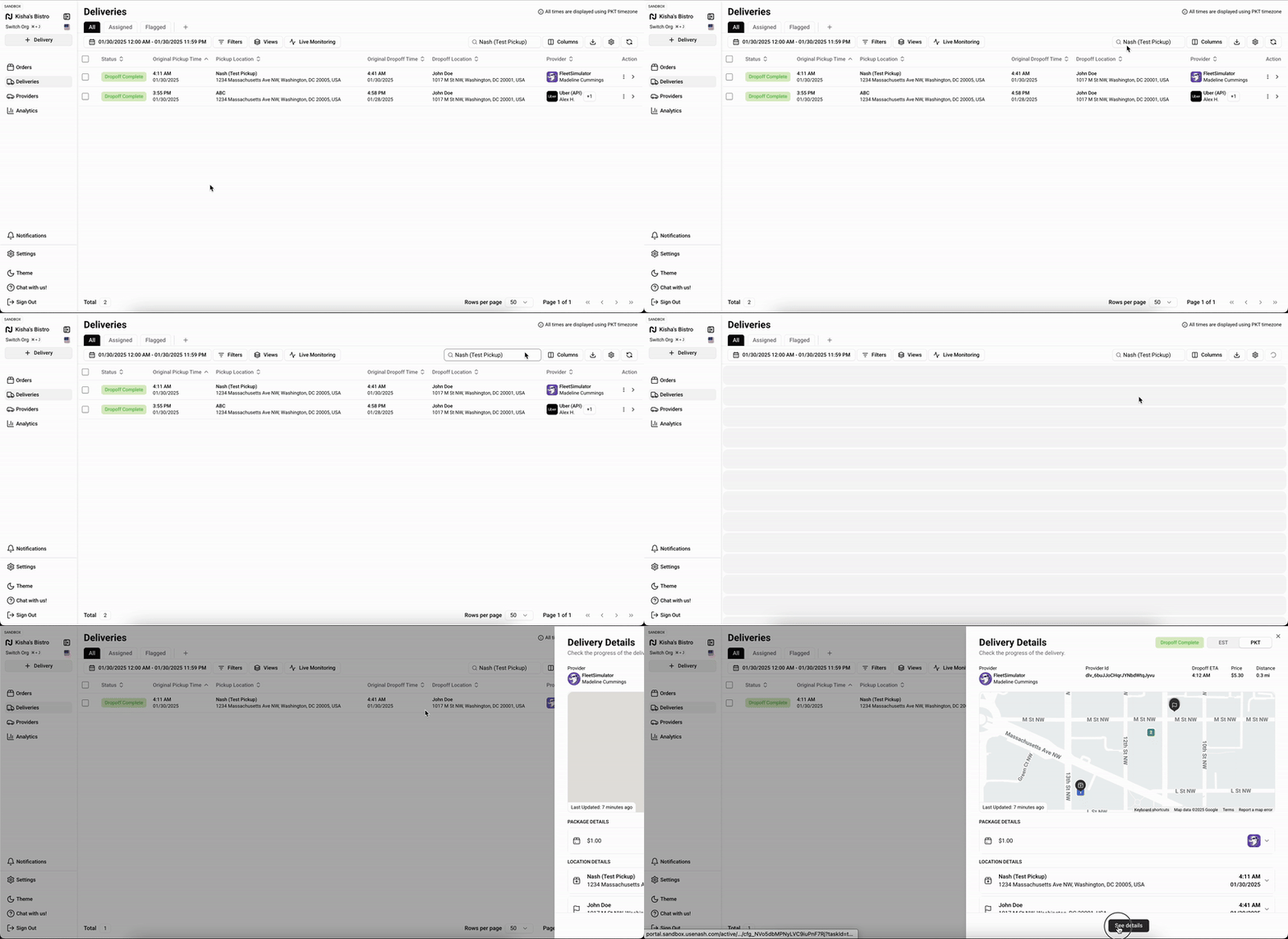
Click on Deliveries from the left sidebar to access the delivery history page.
Use the date selector in the top-left corner to filter deliveries by date, if needed.
Identify and select the delivery row to open the right-side drawer view.
Scroll to the bottom of the drawer and select See details to view the full Delivery Details page.
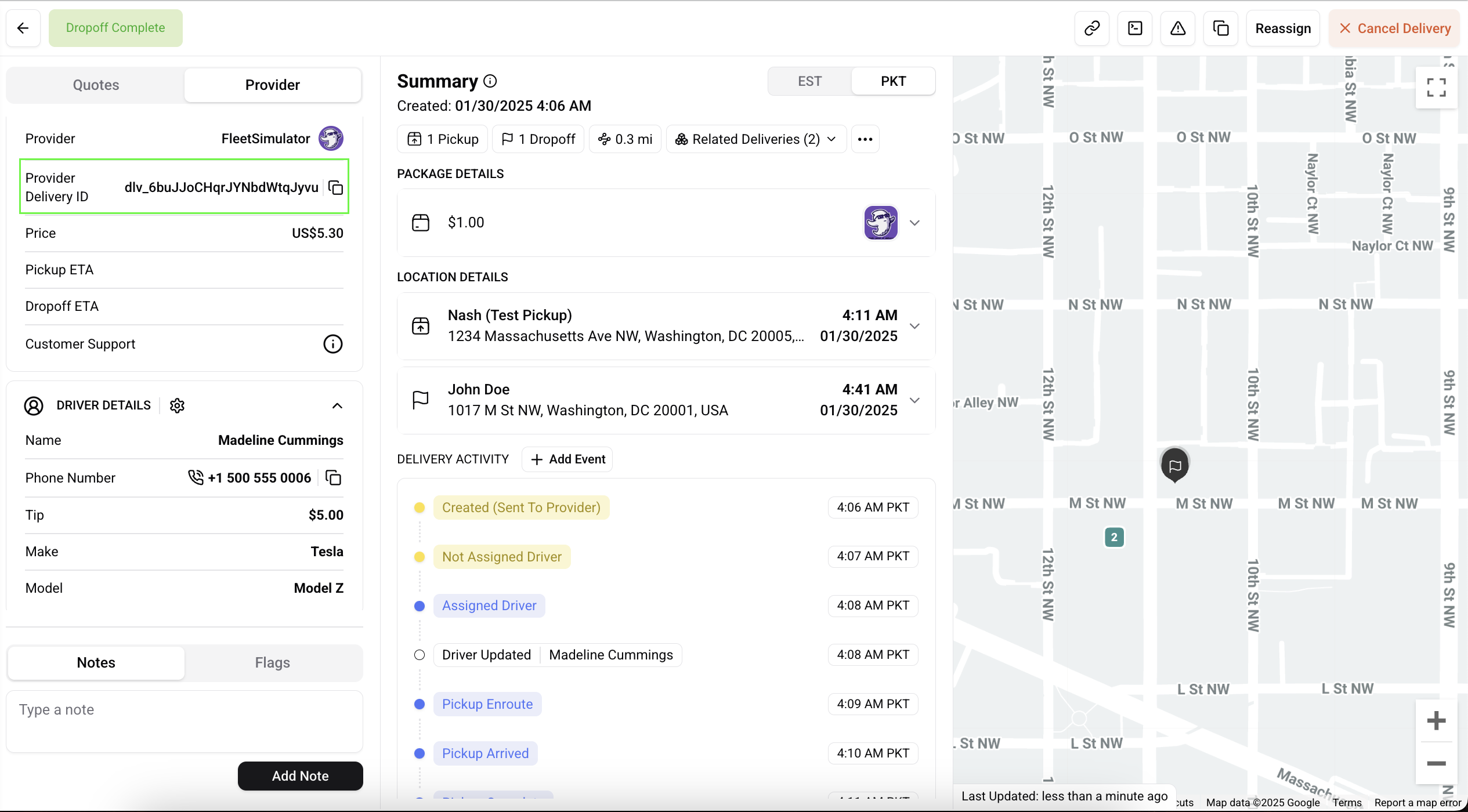
The Delivery Details page displays your delivery's status and progress across three main sections: Provider Details, Summary, and Map.
Locating Provider Support Information
Once on the Delivery Details page:
Go to the Provider Details section at the top of the page.
Look for the Customer Support field within this section.
Hover over the ℹ (info) icon next to Customer Support.
A tooltip will display the provider's support contact information.
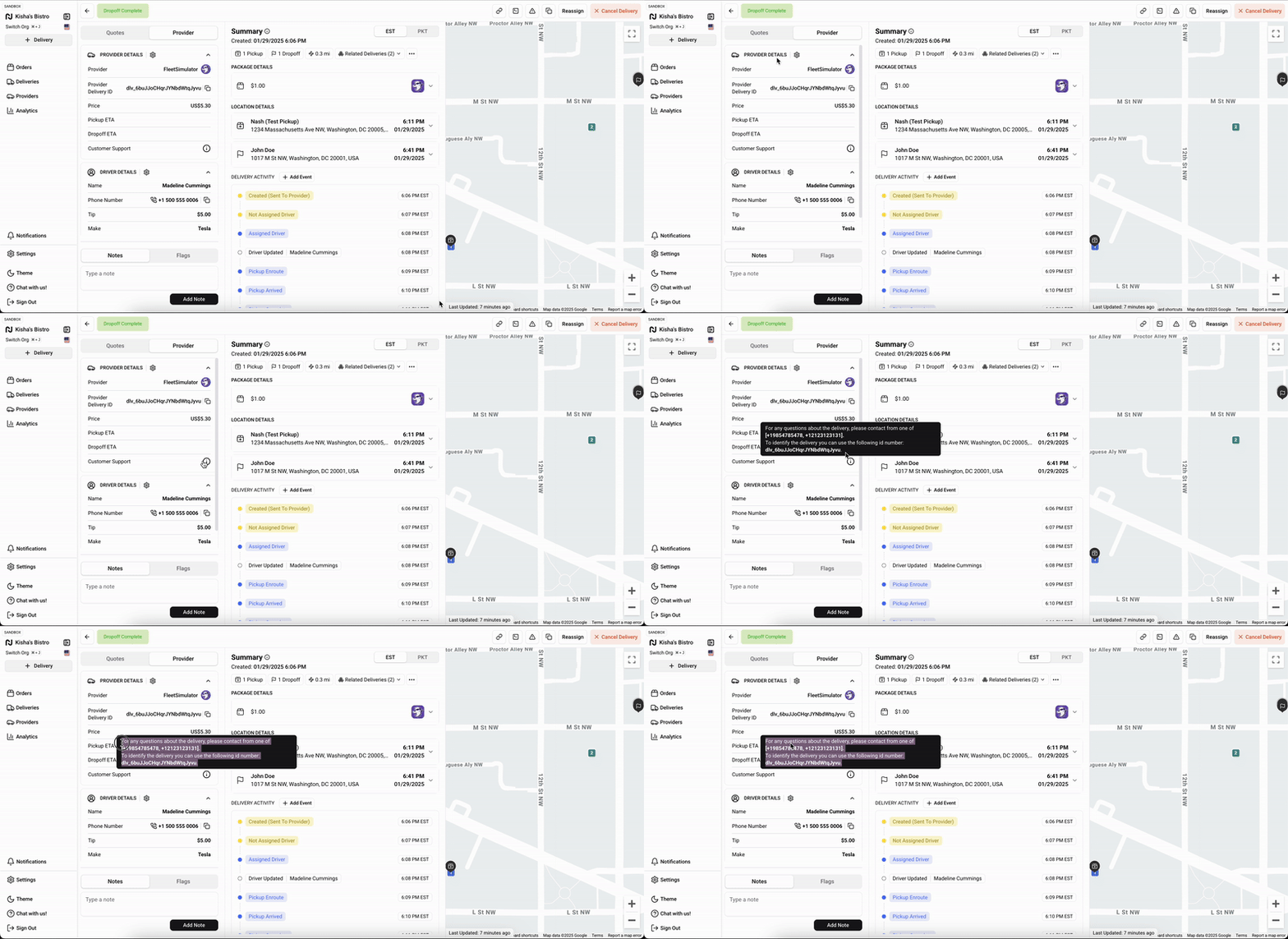
This section includes contact methods specific to your delivery provider, such as phone numbers or email addresses. Support contact details may vary based on your location and account type.
Using Provider Support
When contacting provider support:
Have your delivery ID ready for reference.
Be prepared to explain your specific delivery issue or question.
Note that support availability and contact methods vary by provider and location.
Some providers may require following specific prompts to reach the correct department (for example, pressing 1 for Restaurant Merchant support).
Remember to check the delivery status in Nash after any communication with support to ensure it reflects the most current information.