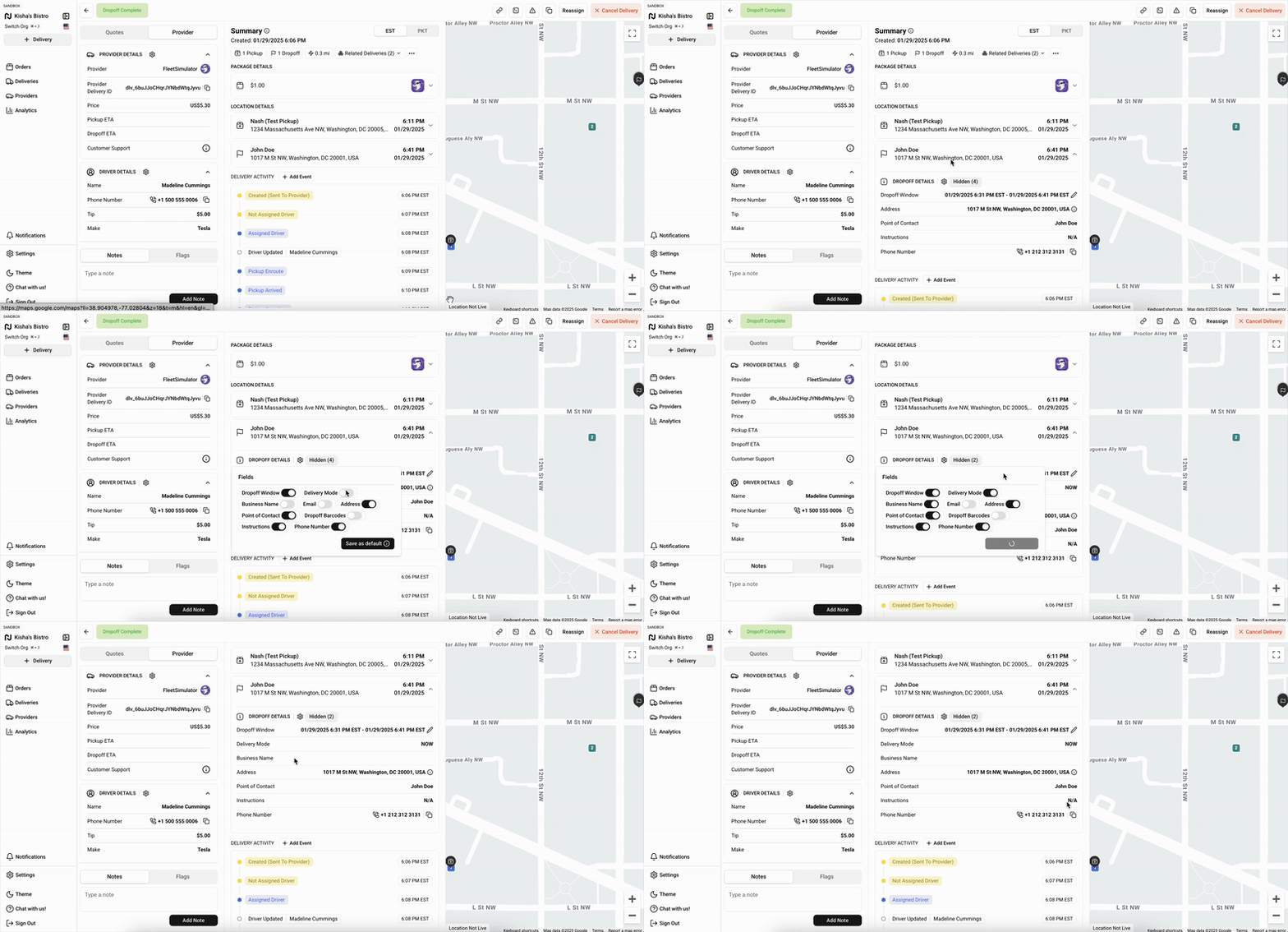
Locate End-Customer Details
Last updated: January 30, 2025
When managing deliveries through the Nash platform, quick access to end-customer information is essential.
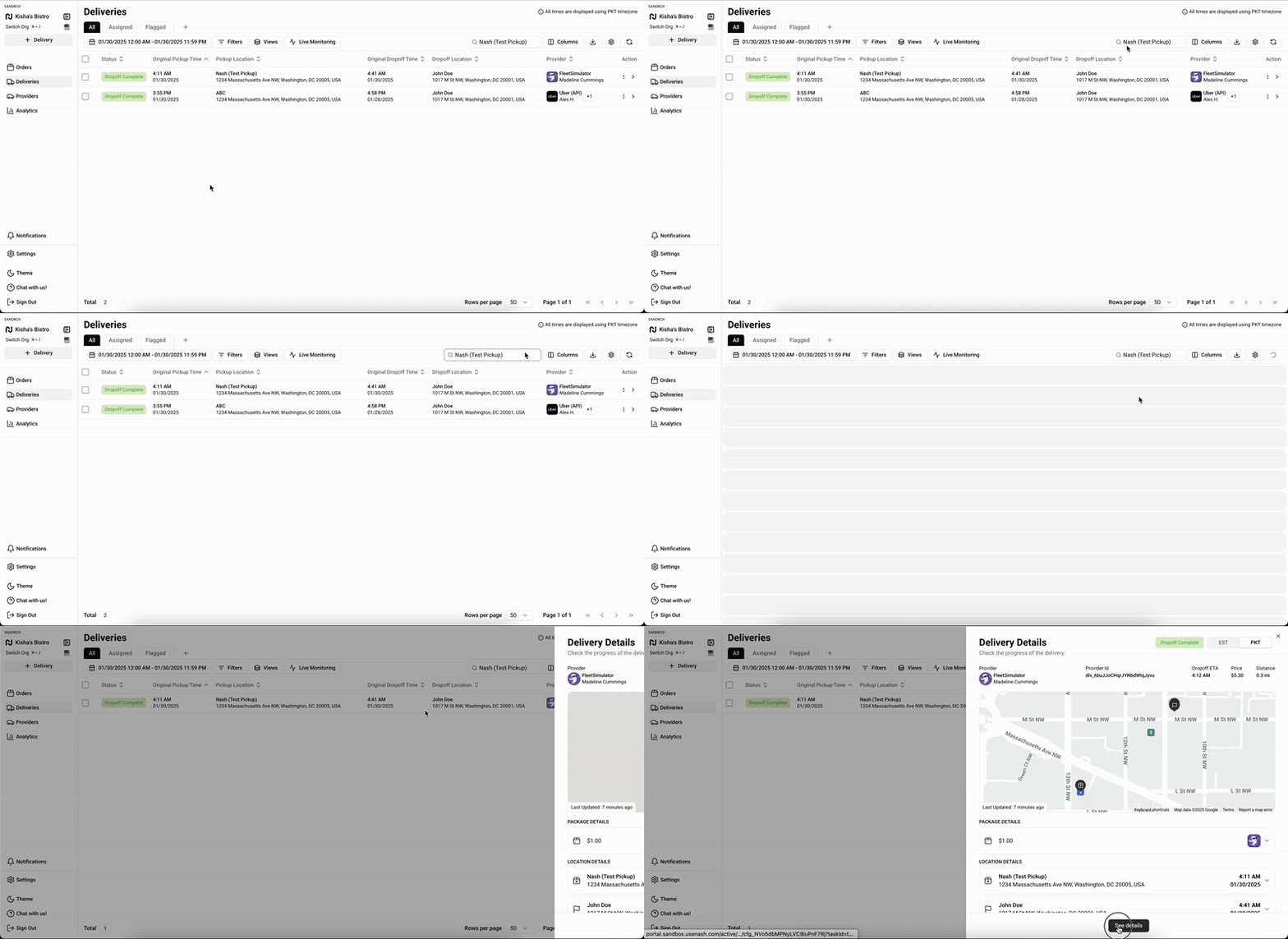
Accessing the Delivery Details Page
Log in to your Nash account
Navigate to the Deliveries page
Locate the specific delivery you want to review
Click on the delivery to open the Delivery Details page
Finding Location Details
The Location Details section contains crucial delivery information. To find it:
Scroll down the Delivery Details page
Look for the Location Details heading
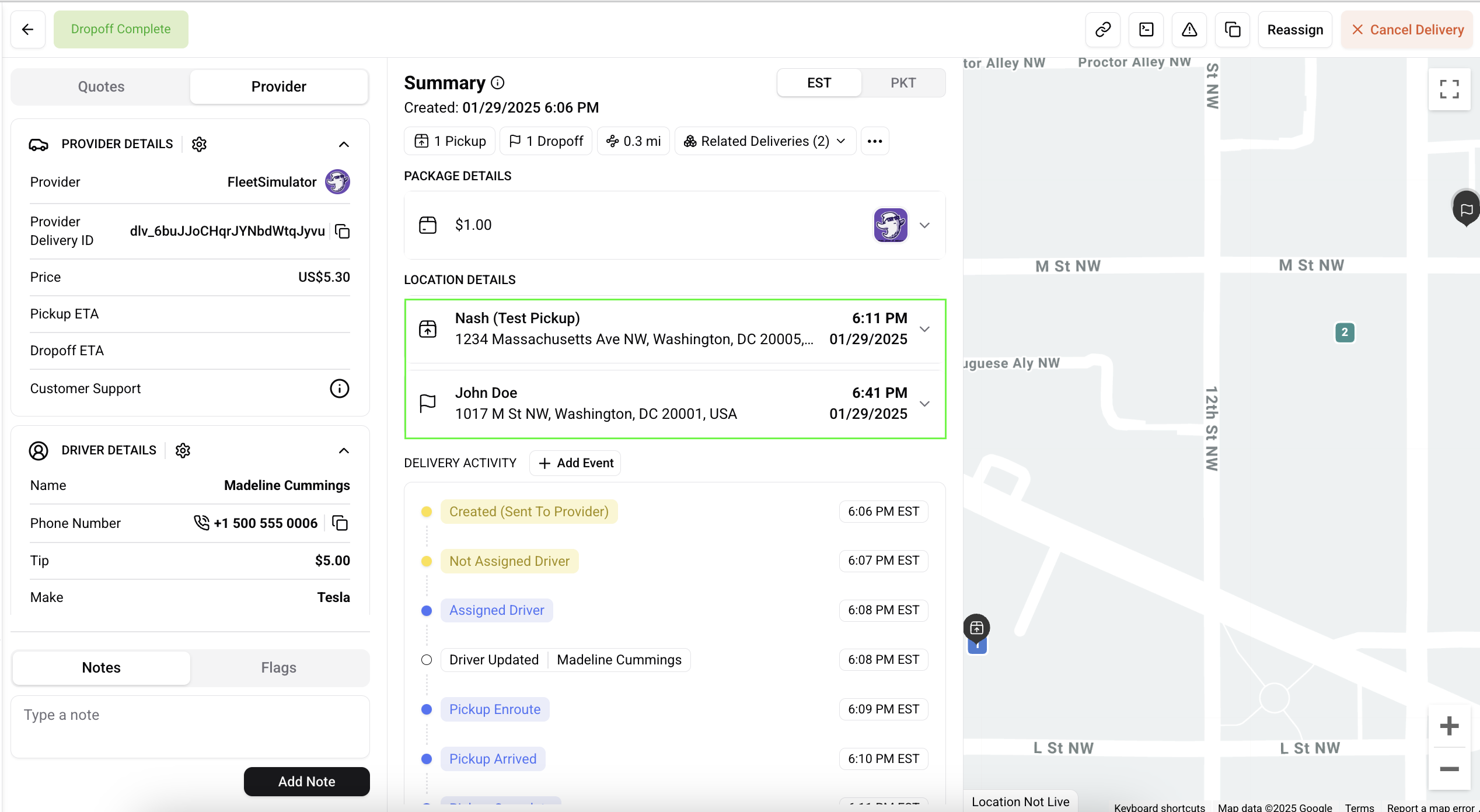
This section shows where items will be picked up and delivered.
Understanding the Delivery Address
Within Location Details, you'll find the Delivery Address information:
Look for the Drop-off Address field
Find the full delivery address in standard format
Includes street number, street name, city, state, and postal code
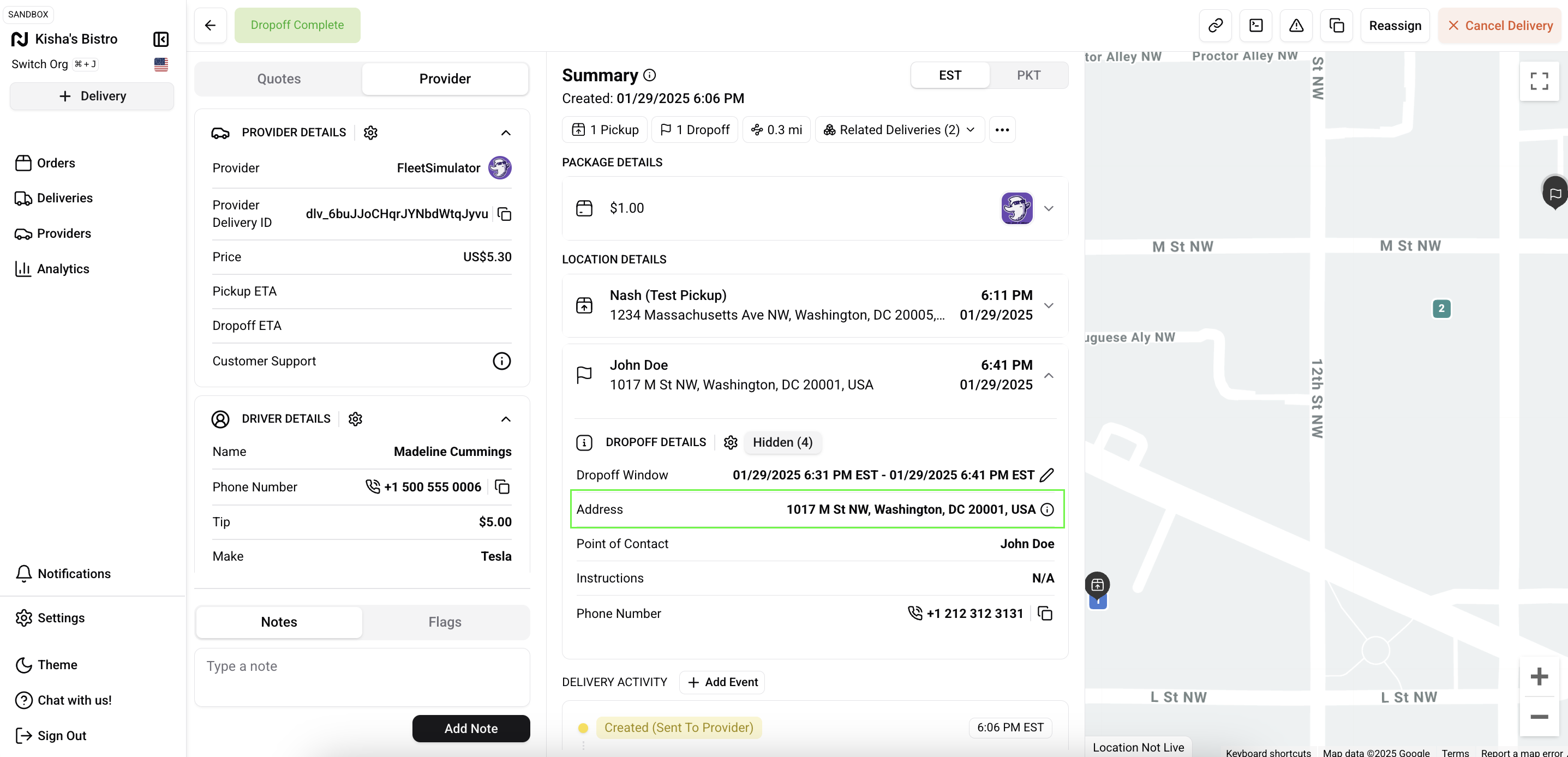
Drop-off Details
The Drop-off Details section includes:
Recipient or Business Name: Name of the person or business receiving the delivery
Contact Phone Number: Number to reach the recipient
Drop-off Instructions: Special notes for delivery (optional)